Web Dynpro - Integrate WDA in Portal
Following are the steps to integrate Web Dynpro ABAP (WDA) in the portal.
Step 1 − Go to ABAP workbench using T-code − SE80 and create Web Dynpro component.
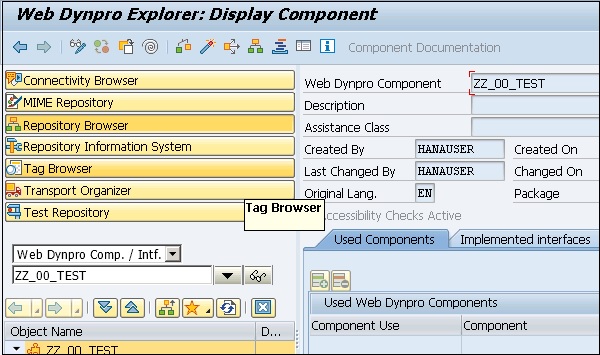
Step 2 − Save the component and activate it.
Step 3 − Define data binding and context mapping. Create a Web Dynpro application and save it.
Step 4 − Login to SAP NetWeaver portal.
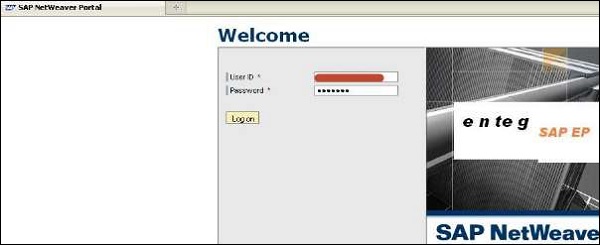
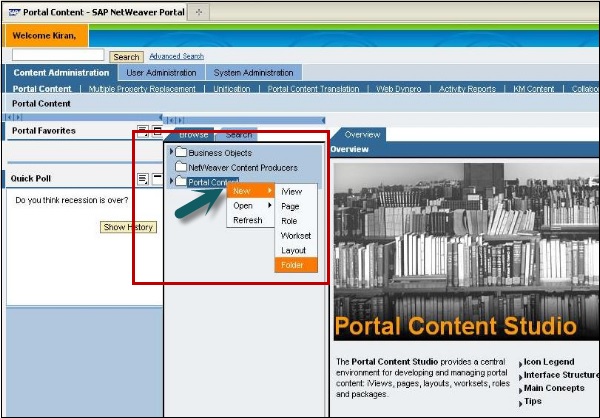
Step 5 − Go to Portal Content → Content Administration tab.
Step 6 − Right-click on the portal content and create a new folder.
Step 7 − Enter the folder name and click Finish.
Step 8 − Right-click on the created folder and create a new iView.
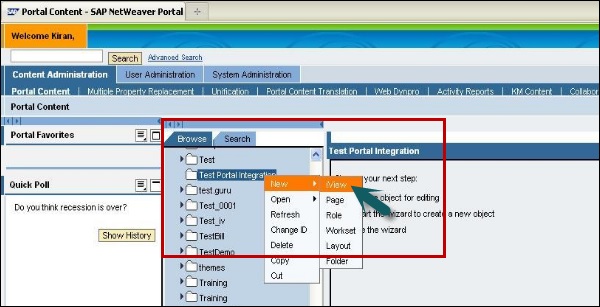
Step 9 − Select iView template. Create an iView from an existing iView template and click Next.

Step 10 − Select SAP Web Dynpro iView as template and click Next.

Step 11 − Enter iView name, iView ID, iView prefix ID and click Next. Enter definition type as ABAP and click Next.
Step 12 − Enter Web Dynpro details and ECC system is created.
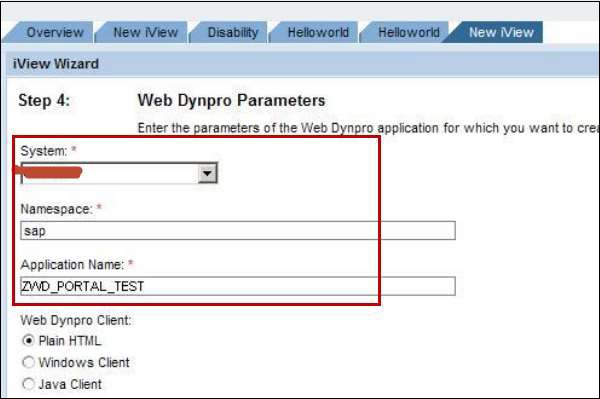
Step 13 − Enter application parameter in the same screen and click Next. You will be prompted to see the summary screen. Click Finish.
