Part II-Reading Data from Multiple Table
Sub Queries Overview
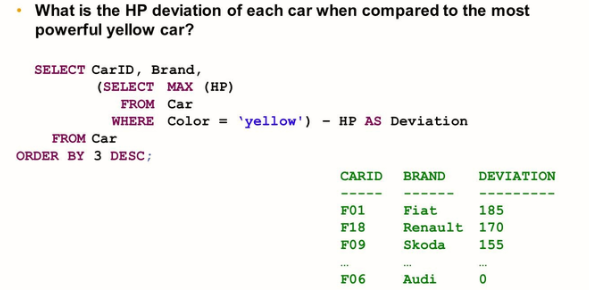
In addition to UNION and JOIN, sub-queries or nested queries also provide the option of reading from multiple tables and views.
Nested queries contain what is called a “Sub Query”.

A subquery can be used to achieve the following:
- Make a SELECT statement more “readable”.
- Improve the performance of a SELECT statement, however, with a “perfect” optimizer, this should not be necessary.
- Formulate a SELECT statement that cannot be formulated without a subquery. For example, it is not possible to put aggregate expressions in the WHERE clause of a SELECT statement, unless they are part of a subquery.
There are different types of subqueries:
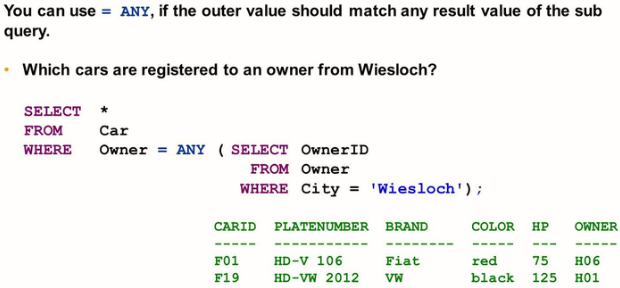
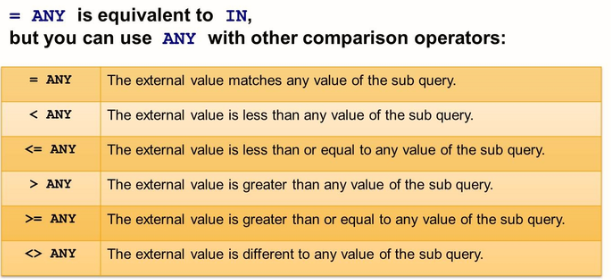
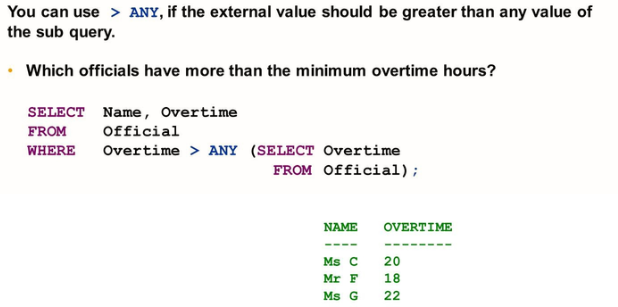
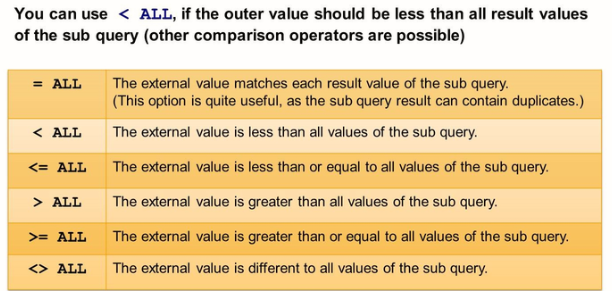
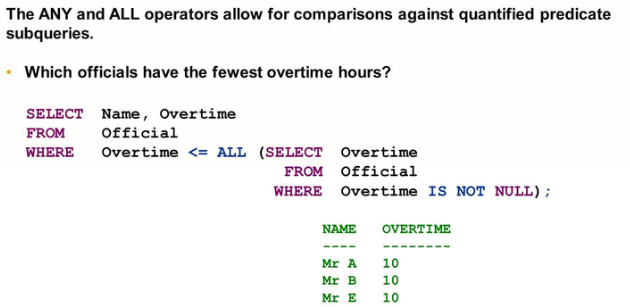
- Expression sub queries return exactly one row; quantified predicate sub-queries may return zero or multiple rows.
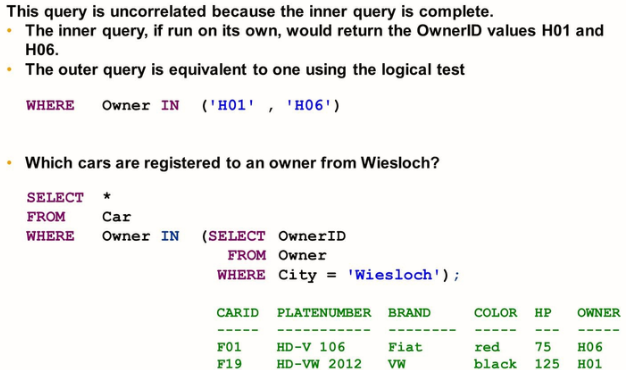
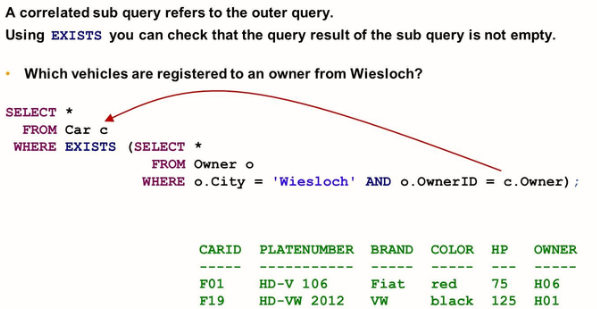
- Uncorrelated subqueries are complete SELECT statements that may be run on their own; correlated subqueries are incomplete and must refer to the outer query.

Uncorrelated Sub Queries
Correlated Sub Queries
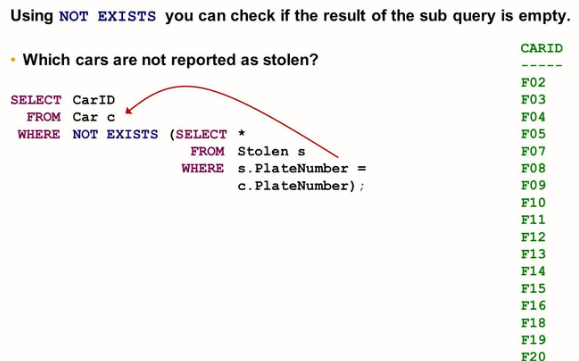
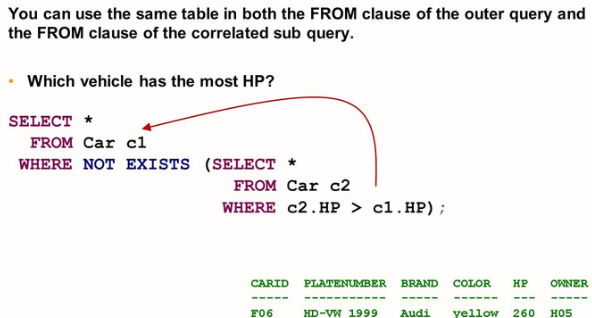
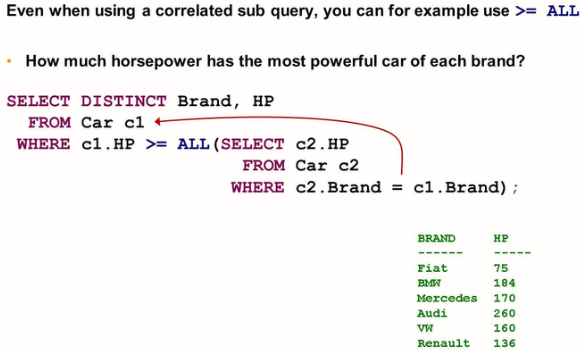
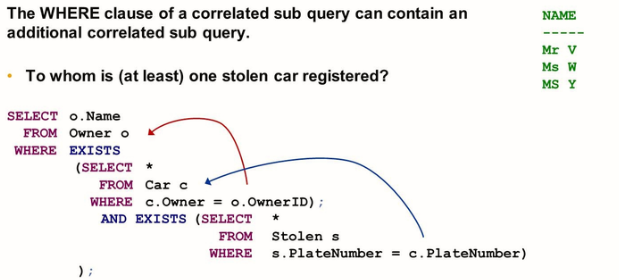
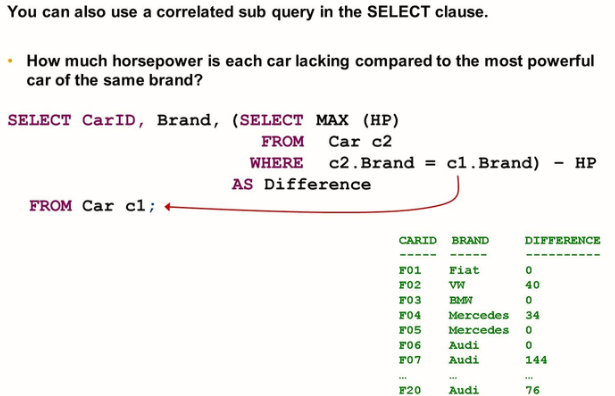
Using nested queries, you can also perform the following:
- Restrict the projection list to certain columns
- Explicitly rename the result columns
- Sort the query result
- Use grouping
- Include aggregate expressions
- Eliminate duplicates using DISTINCT
- Involve the same table multiple times.
- Involve more than two tables.
Extended Sub Queries:
- You can use functions in a subquery
- You can use multiple columns in the subquery
- The Where clause of a subquery can contain another subquery.
- You can combine join and subqueries
- A subquery is usually part of the WHERE clause.
- A subquery is usually part of the WHERE clause., but you can also use a subquery in other clauses.