Part I- Understanding Unions and Joins
UNIONs and JOINs overview
The SELECT statement is more flexible than has been shown so far. It can be used to combine data from one or more tables. This may involve combining rows or columns in novel ways.
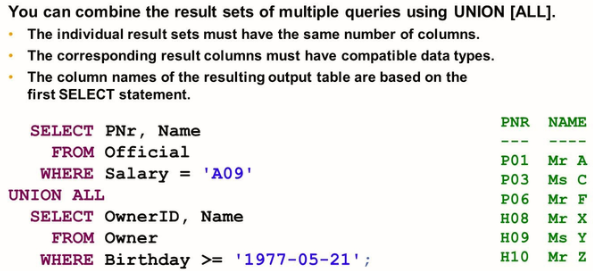
- You can combine the results of several partial queries to form the union of the results, or determine their intersection or difference.
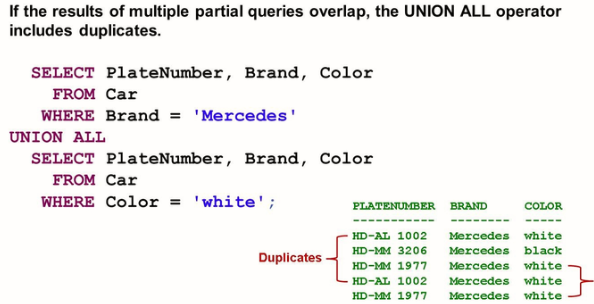
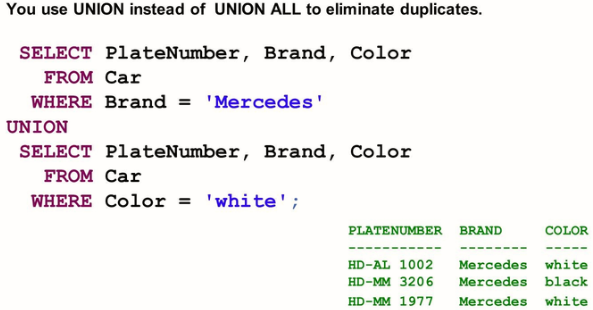
- UNION ALL and UNION merge the results of partial queries to form their union
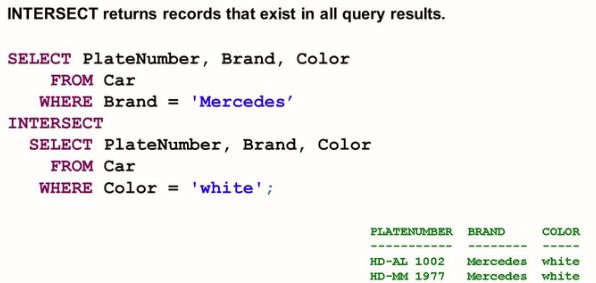
- INTERSECT is used to determine the elements contained in all partial query results
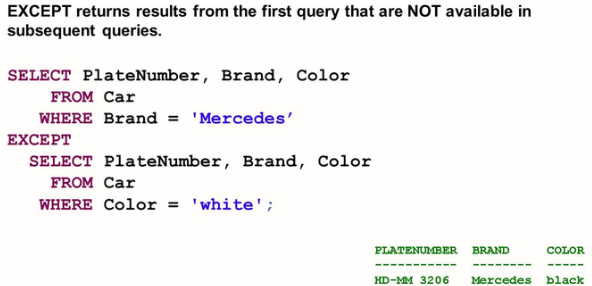
- EXCEPT is used to determine the elements contained in one partial result, but not the second partial result.
- You can use JOIN to combine data from several tables in common rows of result set.
- CROSS JOIN, INNER JOIN and OUTER JOIN are the three types of JOINs. They are explained in the following sections.
- The two syntax options, implicit JOIN and explicit JOIN, are available
UNION and UNION ALL

INTERSECT and EXCEPT
Cross Join
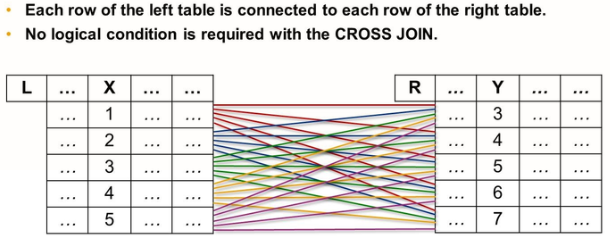
You can use a cross join, also called Cartesian product to create a result set in which each row of each partial query involved is combined with each row of the partial queries involved.
Joins may be specified with two different syntaxes: implicit and explicit. Although you will probably encounter implicit joins, the explicit syntax allows for more control and is considered more correct. While a few implicit examples will be shown, you should focus on explicit syntax.
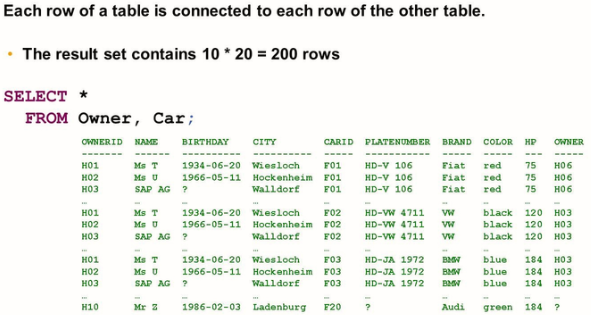
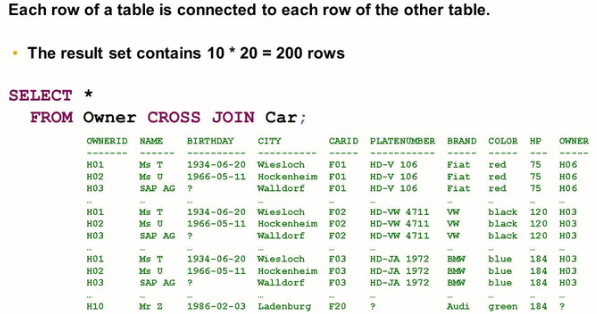
Table Aliases
Different tables can have columns at the same time. This can lead to ambiguities when joining such tables, for example when a column name that appears in two or more of the tables involved is used in the projection list, the WHERE condition, or in a JOIN condition. You must resolve such ambiguities by qualifying the non-unique column name, which is by specifying the table that the column belongs to. You can do this using the full table name as a qualifier.
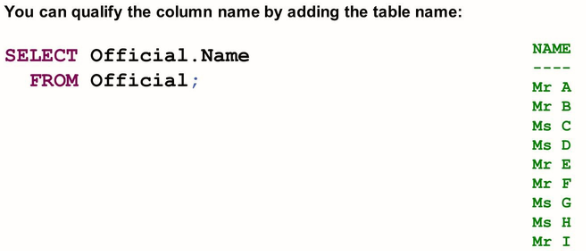
Having to repeat the full table name as a qualifier each time can be cumbersome. This is why you can use table aliases to introduce abbreviated table names and use the abbreviated from as qualifier in the same SELECT statement.
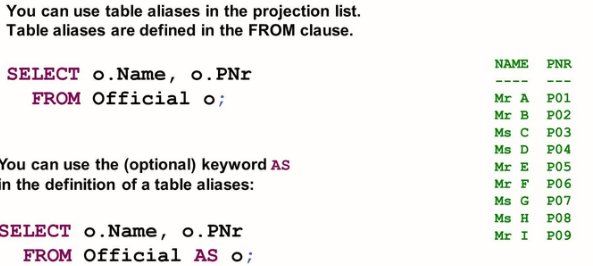
Inner Join
An inner join is used to combine information from one table with corresponding information from another table, and to only include such rows in the result for which corresponding information is available.
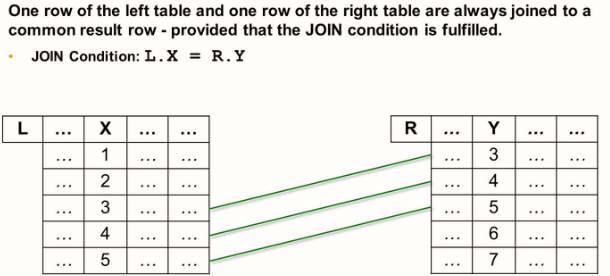
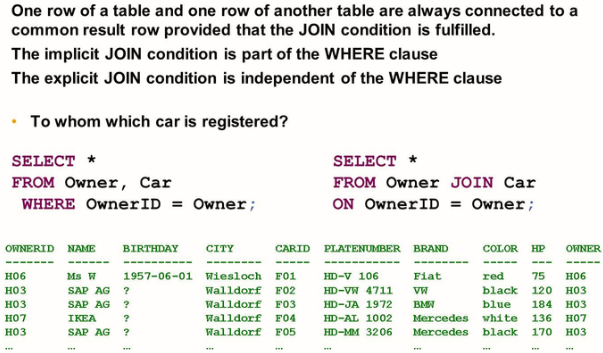
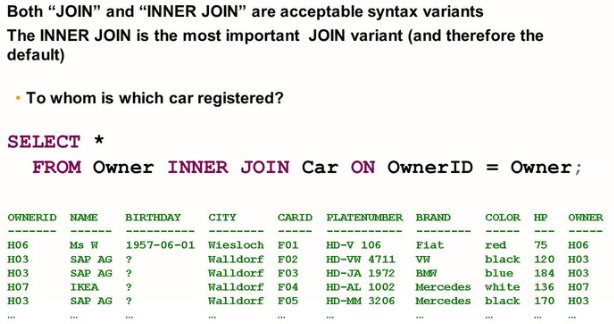
Below ways are also applicable:
- You can use table aliases in the projection list of the JOIN.
- You do not need to include a column from every involved table in the projection list
- You can build the join condition on multiple columns
- You can join a table to itself
- Combining more than two tables will require additional join conditions
- You can use different comparison other than EQUAL in the JOIN condition
- You can use calculations and functions in the JOIN condition
LEFT Outer Joins
To get the full set of rows of one table and augment the data with data from other tables as far as available, we use LEFT outer joins. Three types of outer joins exist for this purpose: -