Linking a CDS View with Authorization Rules
Reminder – classical Approach to authorization checks
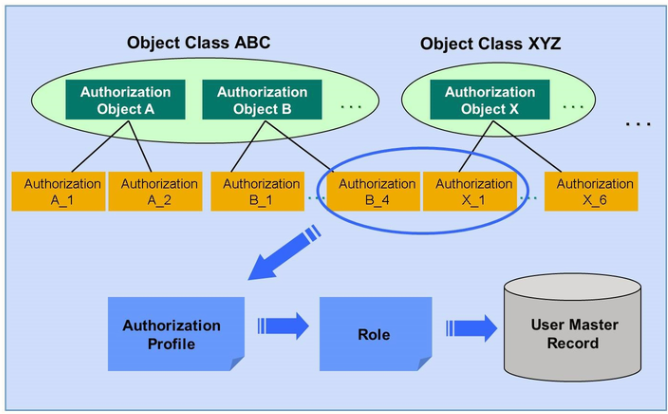
In ABAP systems, all authorizations are based on a special repository object called Authorization object. Authorization is defined in authorization profiles which are then assigned to users.
Instead of defining and assigning authorization profiles directly, SAP recommends defining and assign user roles (transaction PFCG) with general authorization profiles.
Doing an authorization check means nothing else than looking up the user’s master record to see whether a given authorization is part of at least one of the authorization profiles assigned to this user.
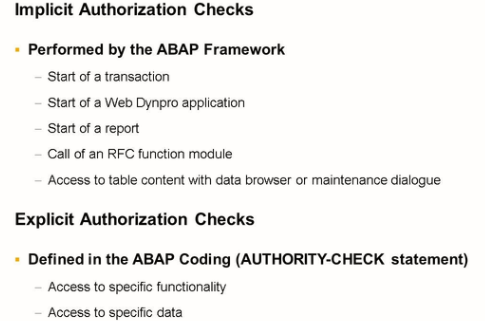
The need for Authorization checks on Database level
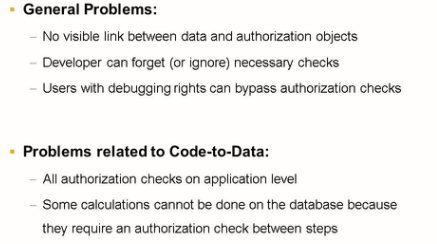
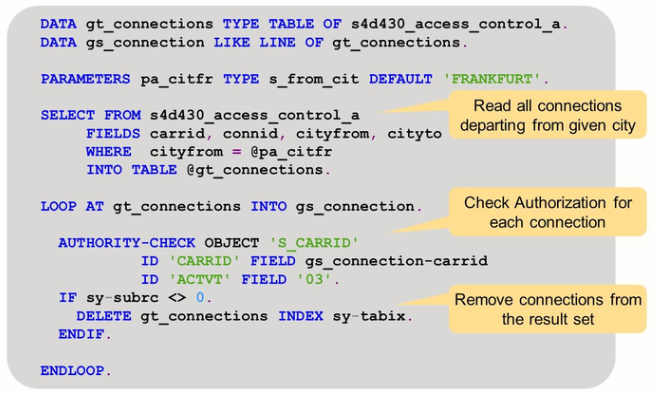
The example shows a program that displays all flight connections departing from a given city. To make sure the user does only see data for which he has display authorization, the program does a loop aver the selection result set and removes the records for which the users lack authorization.
Repository objects DCL source
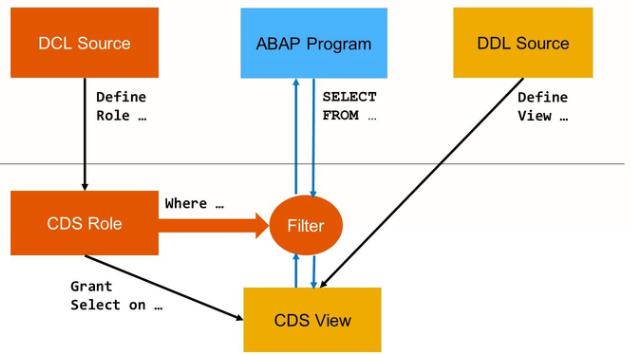
The figure shows the basic principle of CDS Access Control. A new repository object DCL Source defines a CDS Role. It relates the CDS role to one CDS views and defines access conditions for this CDS view. Wherever an ABAP program accesses this CDS view, the database interface will automatically filter the selection result according to the access conditions.
Create a New DCL Source
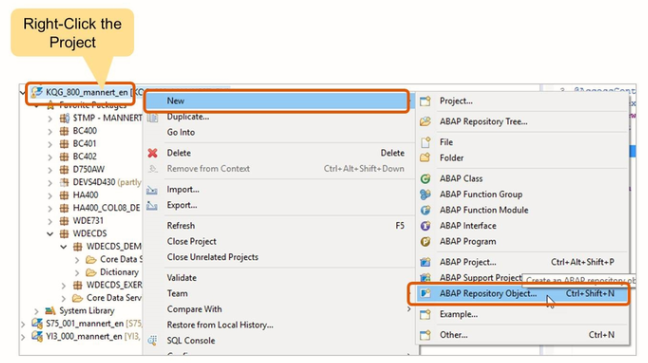
To create a new DDL source, proceed as follows
- Right-click on your project in the project explorer
- Choose New -> ABAP Repository Object
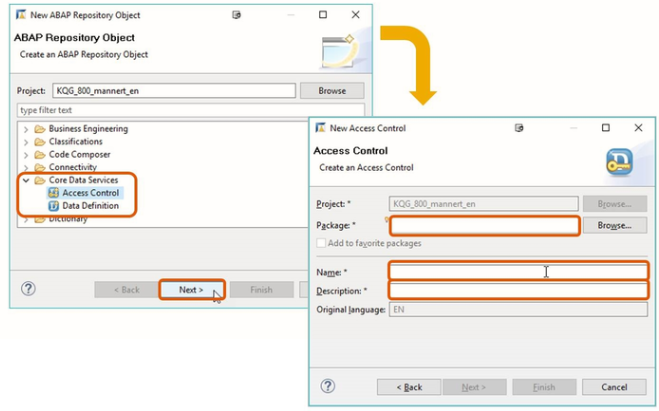
- From the list, choose CDS – Access Control
- Choose Next
- Enter the name of an (existing) package, and a name and description for the new DCL source
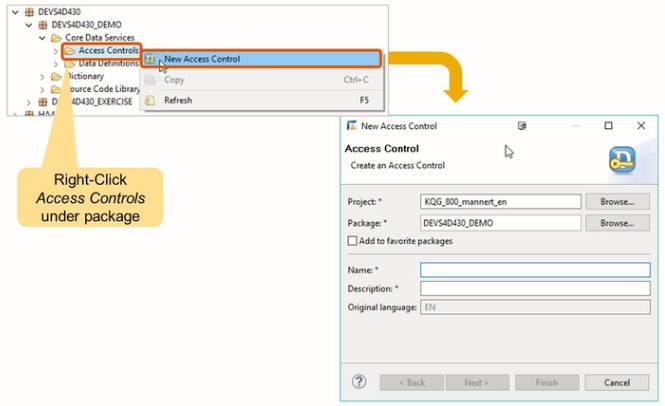
If your package already contains a SCL source, you can use the following shortcut:
- In the project explorer, expand subnode Core Data Services of the favorite package
- Right Click Access Control and choose New Data Definition
CDS DCL Syntax
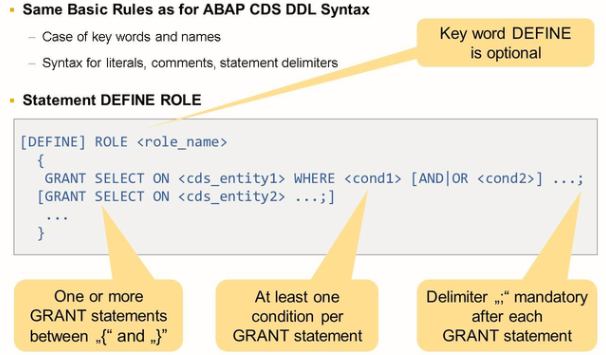
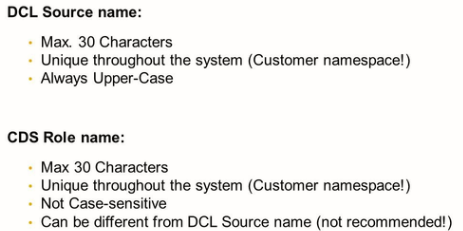
Access Conditions in DCL Sources
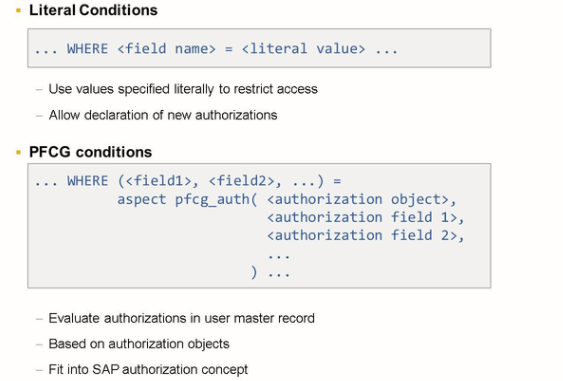
The following ways of defining conditions in DCL exist:
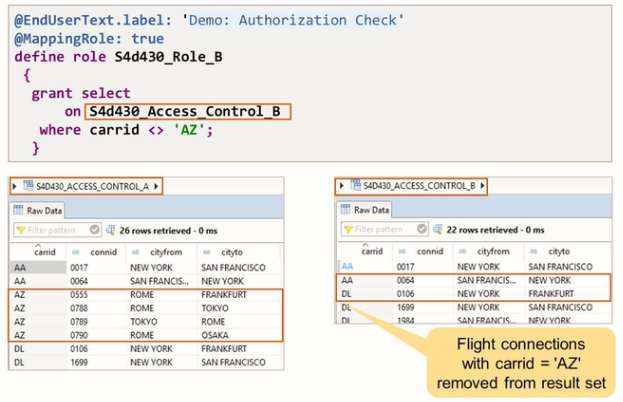
Literal Conditions: Compare one field of the CDS view with a literal value.
PFCG Conditions: Use one or several fields of the CDS view to look up authorizations in the master record of the current user. One PFCG condition is always based on one authorization object. The view fields on the left-hand side are assigned to the fields of the authorization object on the right-hand side.
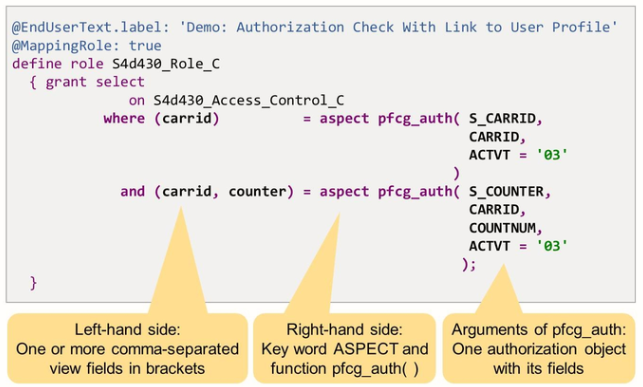
The CDS role in the example above contains two PFCG conditions.
The first condition is based on an authorization object S_CARRID. In ABAP, the corresponding AUTHORITY-CHECK statement would look like this:
|
AUTHORITY-CHECK OBJECT ‘S_CARRID’ ID ‘CARRID’ FIELD view-carried ID ‘ACTVT’ FIELD ‘03’ |
The second condition is based on an authorization object S_COUNTER. This authorization object has three authorization fields: CARRID, COUNTNUM, and ACTVT. The corresponding AUTHORITY-CHECK statement would look like this: