Creating transparent tables
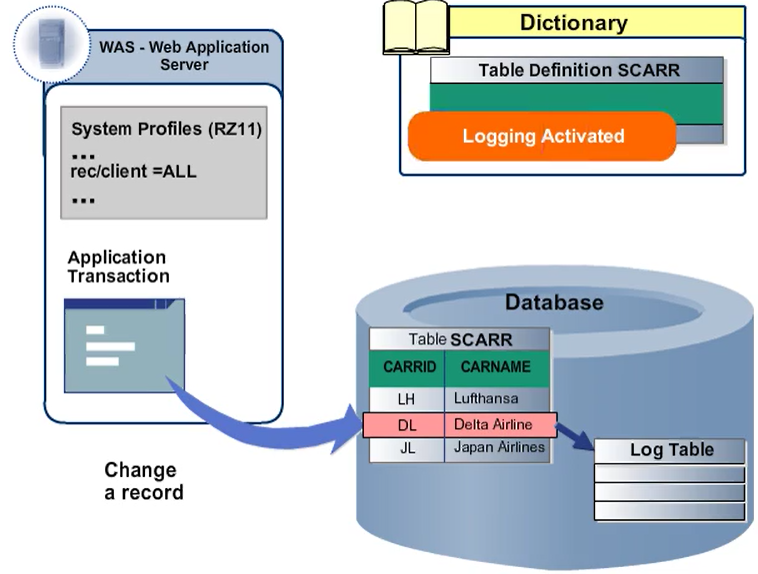
You can use logging to record and store changes to the entries of a table. To activate logging, select the Log Data Changes checkbox in the technical settings. Selecting the flag in the ABAP Dictionary is not sufficient to trigger logging. Logging is only performed if it is enabled in the system profile parameter rec/client.
The setting for the parameter rec/client
| Setting | Description |
| rec/client = ALL | Log all clients |
| rec/client = 000[...] | Log specified clients only |
| rec/client = OFF | Logging is deactivated in this system |