Performing Database Changes Using the Update Technique
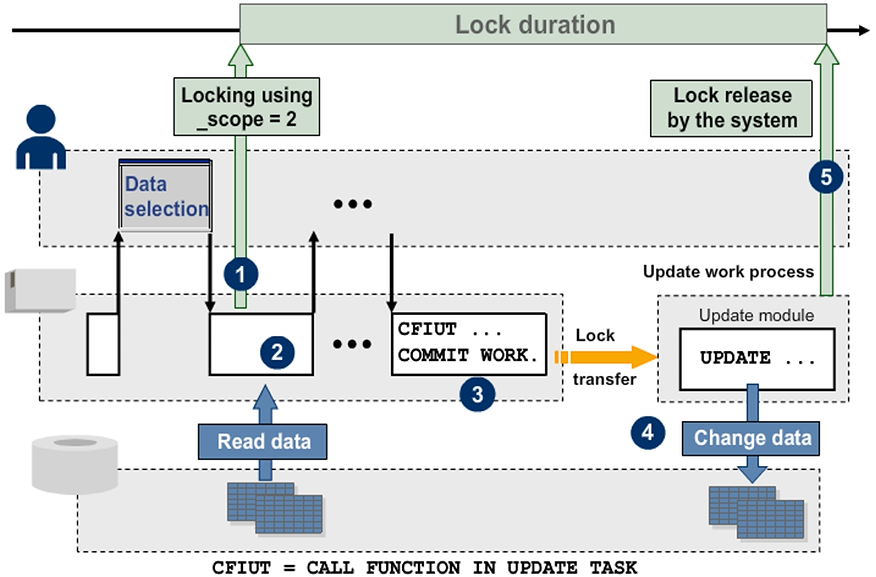
This automatic release of locks by the update task will also take place if there is an error, that is, if one of the update modules terminates and rolls back LUW processing through the output of a termination dialog message (default).
The automatic release of locks in case of an update error can be switched off by setting the profile parameter rdisp/vb_lock_mode to hold (default: release).
If the update modules allow failed update requests to be reprocessed, the data in the database tables at the point of reprocessing may be different from that at the point of the failed update attempt.
In addition, reprocessing generally takes place without locks because the locks are automatically deleted by the update task if there is an error (default).
For example, reprocessing is appropriate if a document was not written successfully to the database because of an overflow of table spaces.
Update Modes
This section explains the various update modes and which mode to use for a particular situation. The complete discussion is relevant only for update requests of type V1.
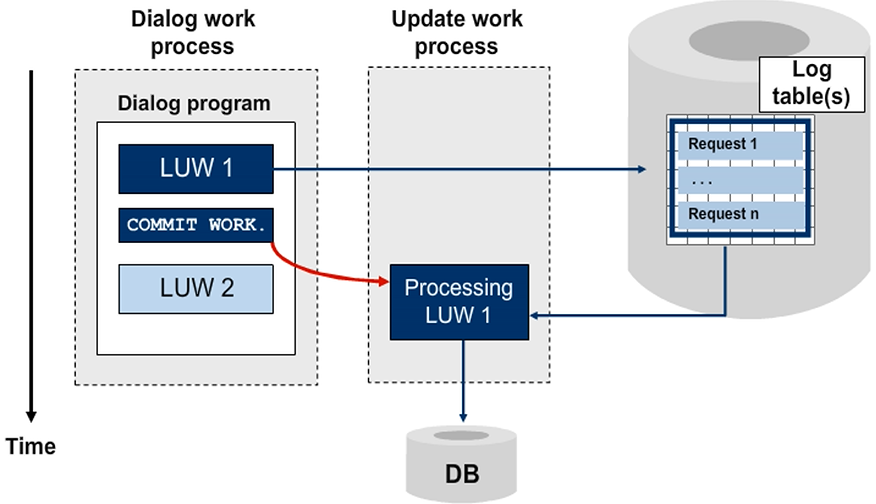
In asynchronous updates, the dialog program and update program are processed in parallel:
- The dialog program writes the change requests to the log table(s) and closes the LUW with a COMMIT WORK.
- The update initiated by the COMMIT WORK now processes the change requests. The dialog program is continued. The system does not wait for the update to end.
- The update program runs in a special update work process. This can be on an application server other than the one used to handle the dialog program.
Asynchronous updates are useful in transactions where the improved "perceived performance" for a user, that is, by not waiting for the database feedback, is more important than the knowledge about the successful and final database update. Asynchronous updating is the standard technique used in dialog processing.
Synchronous Update
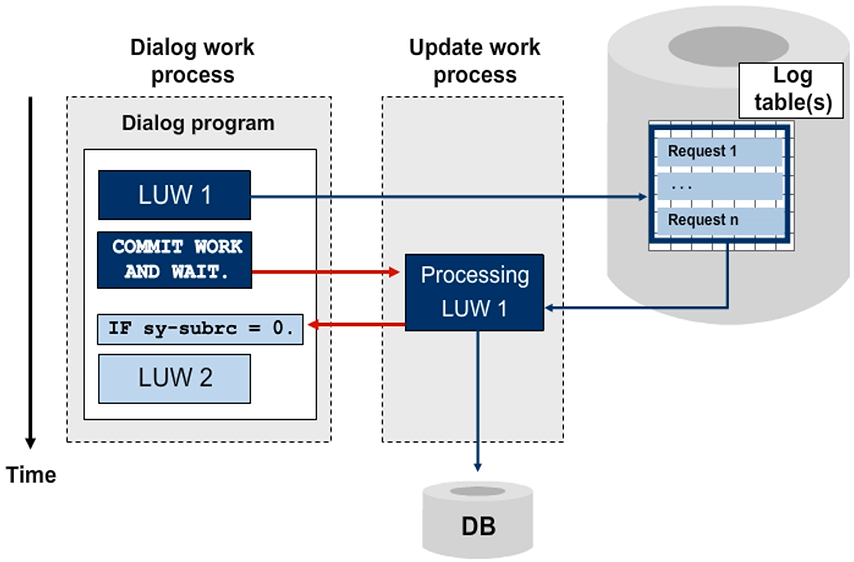
A synchronous update is triggered by the statement COMMIT WORK AND WAIT. Here, the dialog program waits for the update to end before program processing is continued.
You use this update mode if further processing or dialog program termination depends on the update result. You can query the processing success of the synchronous update by using the system field sy-subrc.
During the entire waiting phase, the dialog program is in a “rolled out” state. This means that the respective dialog work process is released for further use. When the update is complete, a free dialog work process is assigned for further processing of the dialog program.
Local Update
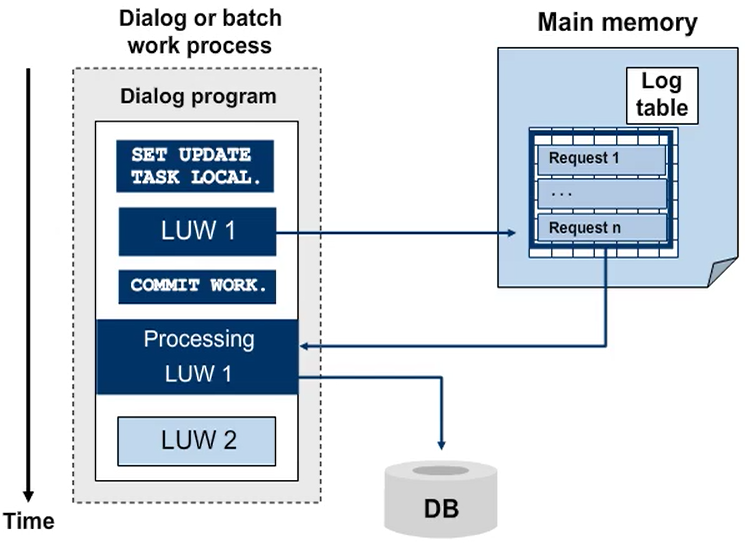
In local updates, the update functions are run in the same dialog process used by the dialog program containing the dialog program (locally). Processing of the dialog program is continued when the update is complete (synchronous).
To have update modules executed locally, you must use the statement SET UPDATE TASK LOCAL before you write the first respective request. Close the written requests with the statement COMMIT WORK. These will be processed in the same dialog work process. After the local update has been successfully processed, a DB commit is initiated explicitly and the dialog program is continued after the COMMIT WORK statement.