Handling Additional Events of the ALV Grid
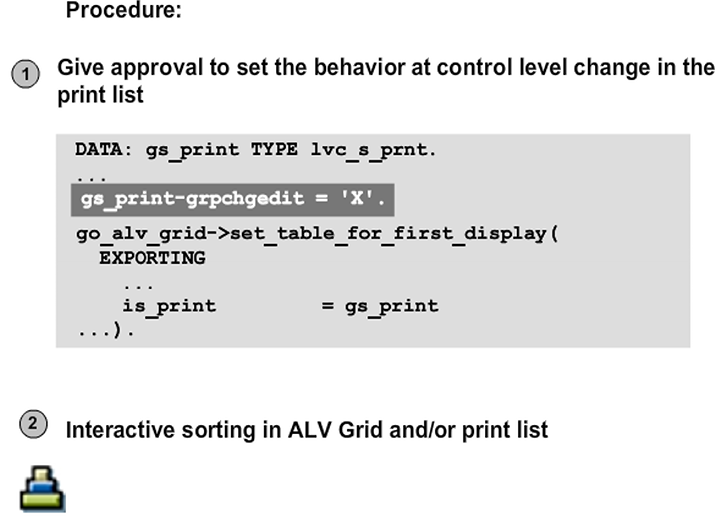
Page Break for Group Change – Runtime
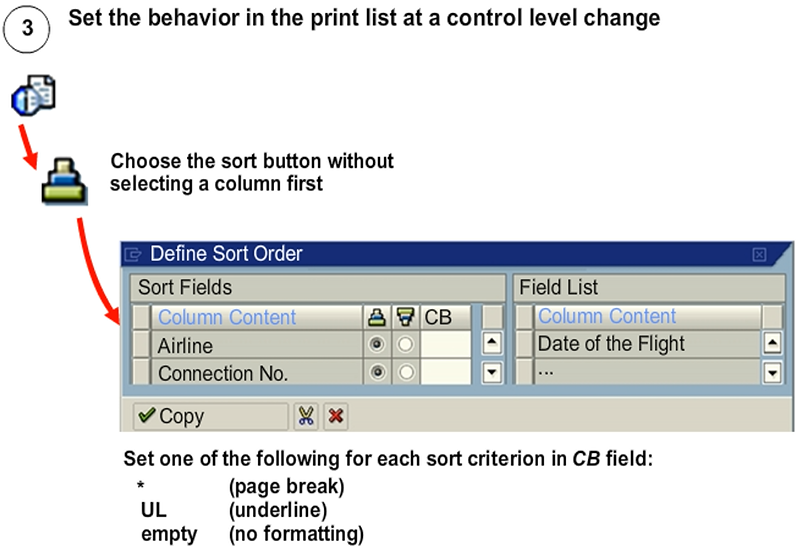
In the print list display, the user calls the Define Sort Order dialog box. To call the Define Sort Order dialog box, choose the Sort button without selecting a column.
The figure shows the settings that the user can set in the dialog box, in the CB field.
This step only works in interactive mode and not in background processing. For background processing, you must specify the settings for sort order and control level formatting in the it_sort parameter of the set_table_for_first_display method. To specify these settings, assign * or UL to the GROUP field in the it_sort parameter.
Display Information for the Print List
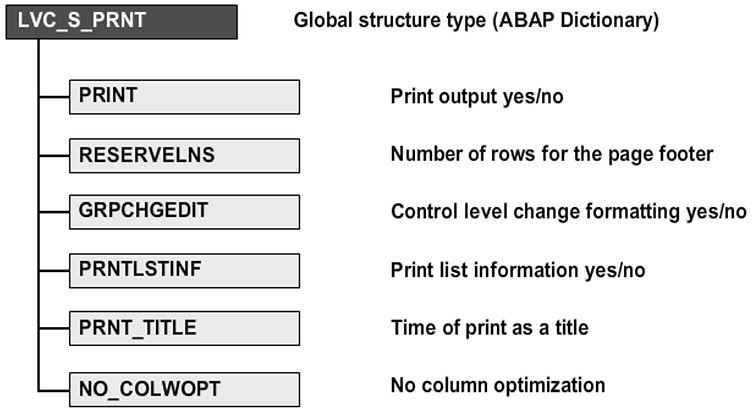
You can set the print list using the print, reservelns, grpchgedit, and prntlstinf fields of a structure of the lvc_s_prnt global type. To make these settings, assign a structure of this type to the is_print parameter of the set_table_for_first_display method.
If you assign the value X to the print field, you can use the ALV grid control to print without displaying the list on screen. The passed data table is formatted at once as an ABAP print list and sent to the print spool. Interactive screen output is not processed.
You can use the reservelns field to define the number of rows required for the page footer. If you assign the value X to the prntlstinf field, information about the sort order, totals, and defined filters are printed, together with data statistics, at the start of the list.
The prnt_title field specifies the time when the grid title will be printed (0/default – before the print_top_of_list event; 1 – after the event print_top_of_list; 2 – before the print_top_of_page event; 3 – after the print_top_of_page event).
If you assign a value X to the no_colwopt field, no column width optimization occurs. The other fields of the structure type are not used for the ALV grid control.