Creating Search Helps
Like the editor for function modules, the editor for search helps also enables you to test an object. You can test the behavior of a search help without attaching it to a screen field.
Interface of a Search Help
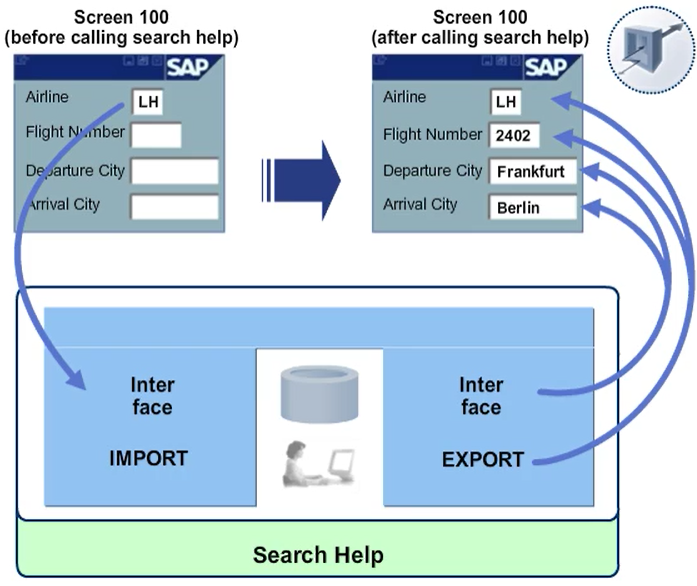
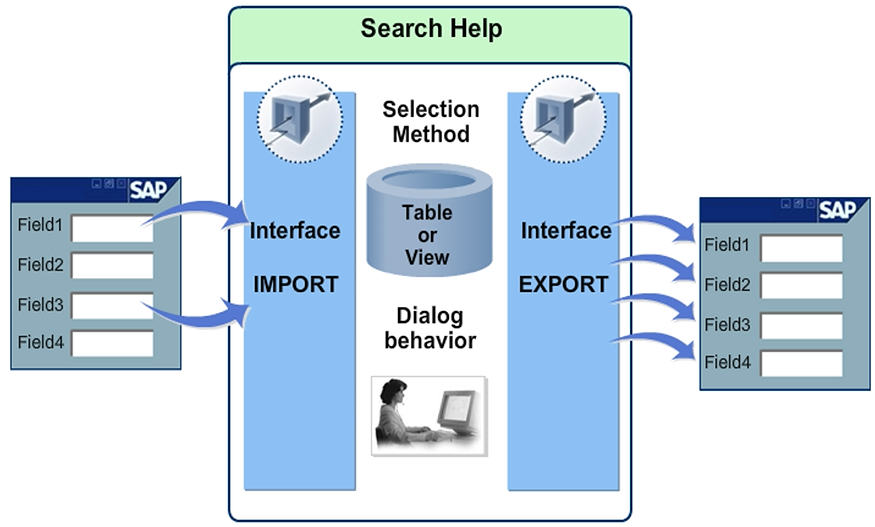
When you define a parameter of a search help, you must also define whether it is used to copy data to the input help (IMPORT parameter) or return data from the input help (EXPORT parameter).
The IMPORT and EXPORT parameters of a search help together make up the interface of the search help. The parameters of a search help can be compared with the parameters of a function module.
You can also define interface parameters that do not appear in either the hit list dialog or the dialog box for value restricting. This is useful, for example, when screen fields that do not appear on either of the two dialog boxes are to be updated when you select a value.
The location from which the IMPORT parameters of a search help get their values and the screen fields in which the contents of the EXPORT parameters of the search help are returned are defined in the search help attachment.
The search field is a special case. Its contents are only used in the input help if it is a search string (that is, if it contains a * or a +) and the parameter linked with the search field is an IMPORT parameter.